Update Resume & Live Edit
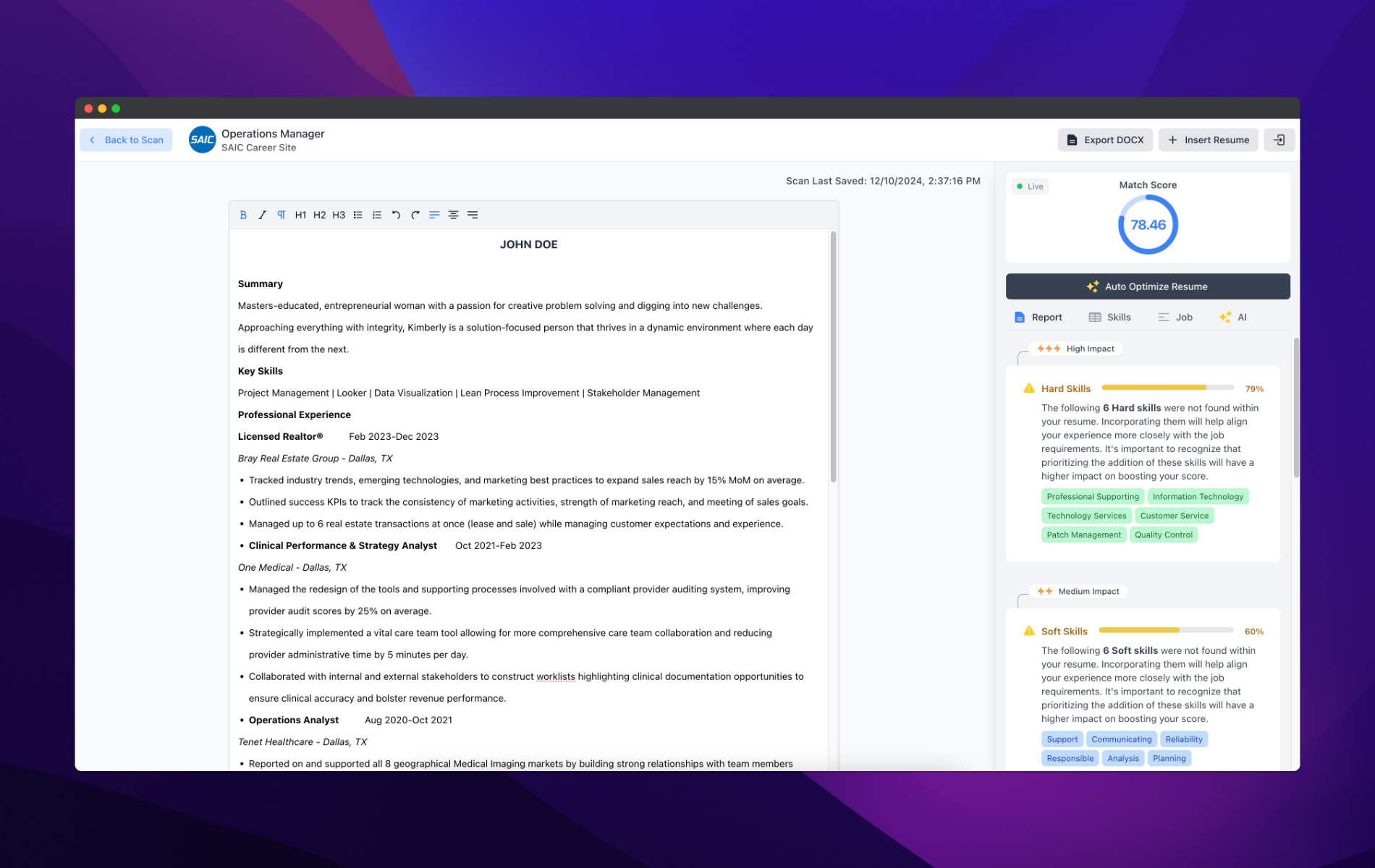
The Update Resume screen allows you to make changes directly to your resume. You have two options for editing your resume:
Direct Edits: Make changes directly within the editor, allowing you to update your resume in real time.
Local Changes: Make changes locally on your document and then upload the updated version once you're finished.
Live Edit is a premium feature that allows you to instantly make changes to your resume and see your match score update in real time, without needing to save and reload. This interactive tool provides immediate feedback as you modify your resume, helping you make precise adjustments based on the Match Report and job description keywords. Live Edit streamlines the process of optimizing your resume, offering a more dynamic and efficient editing experience. Available exclusively to premium users, Live Edit gives you the advantage of fine-tuning your resume and maximizing your chances of passing through applicant tracking systems (ATS) with ease.
In addition to making updates, this screen provides a comprehensive view of all the items from the Match Report, including:
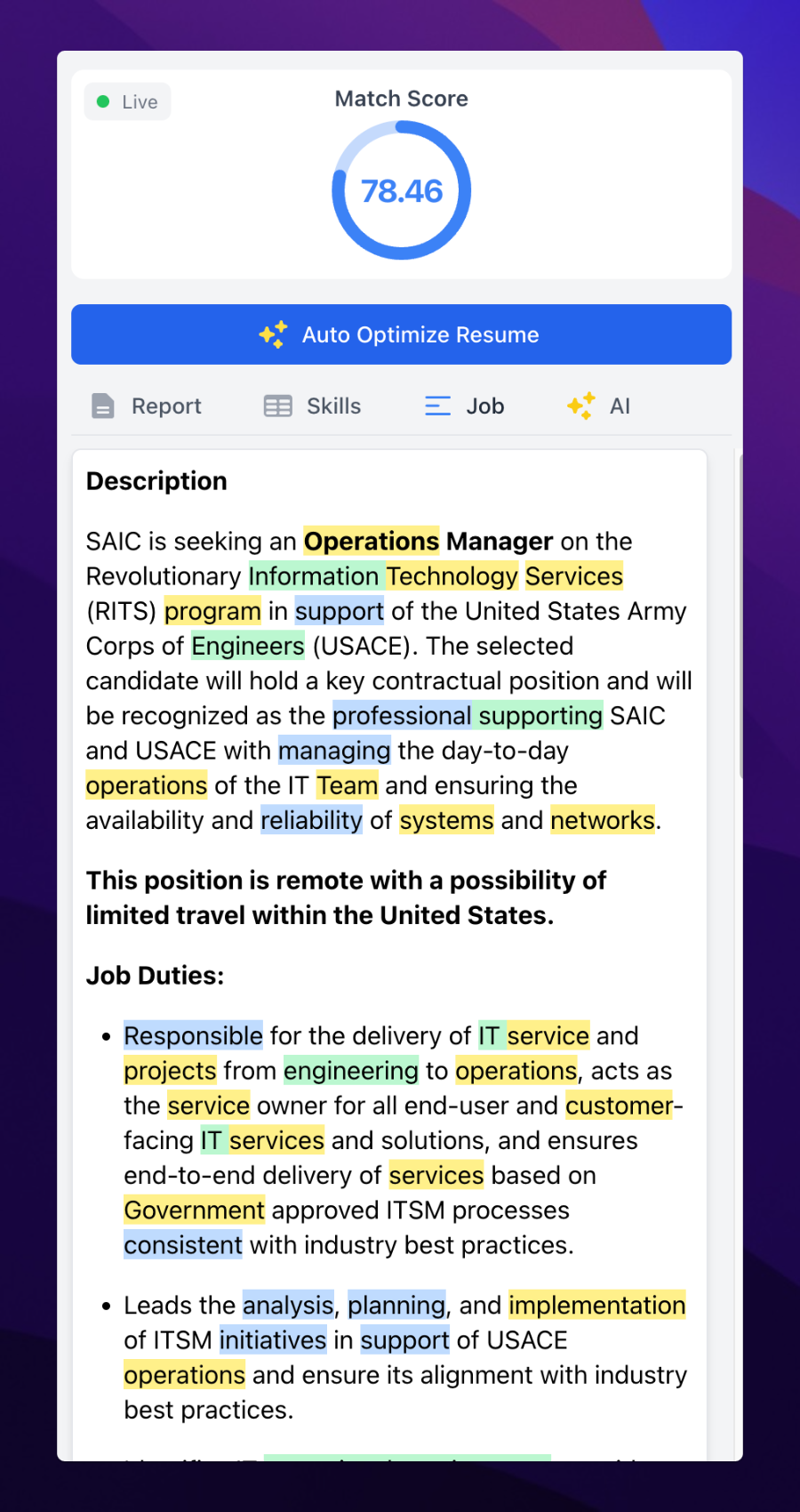
Job Description Keyword Highlighter: This highlights keywords from the job description to help you match your resume with the job requirements.
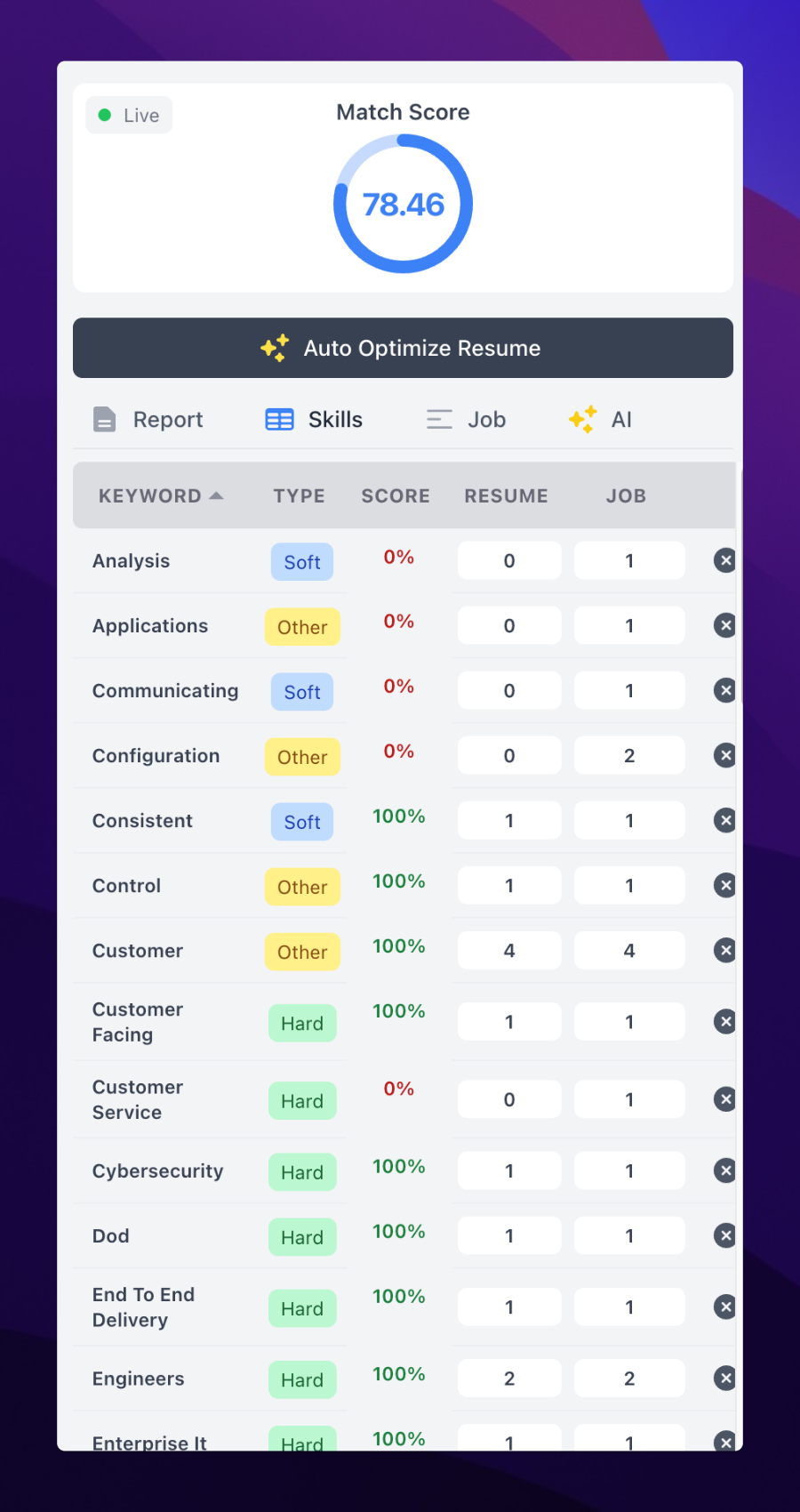
Keyword Table: A table that shows which keywords are missing or underrepresented in your resume, and allows you to exclude irrelevant keywords.
The screen also features tools to enhance your resume, such as:
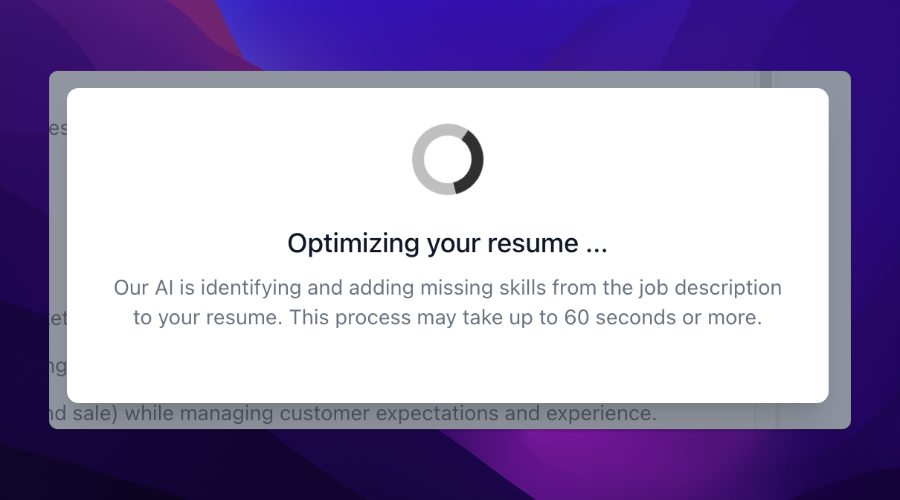
Auto Optimize Resume: This AI-driven feature automatically optimizes your resume to improve its match with the job description.
AI Bullet Point Generator: A tool to help you craft high-impact bullet points for your experience, tailored to the specific job you're applying for.
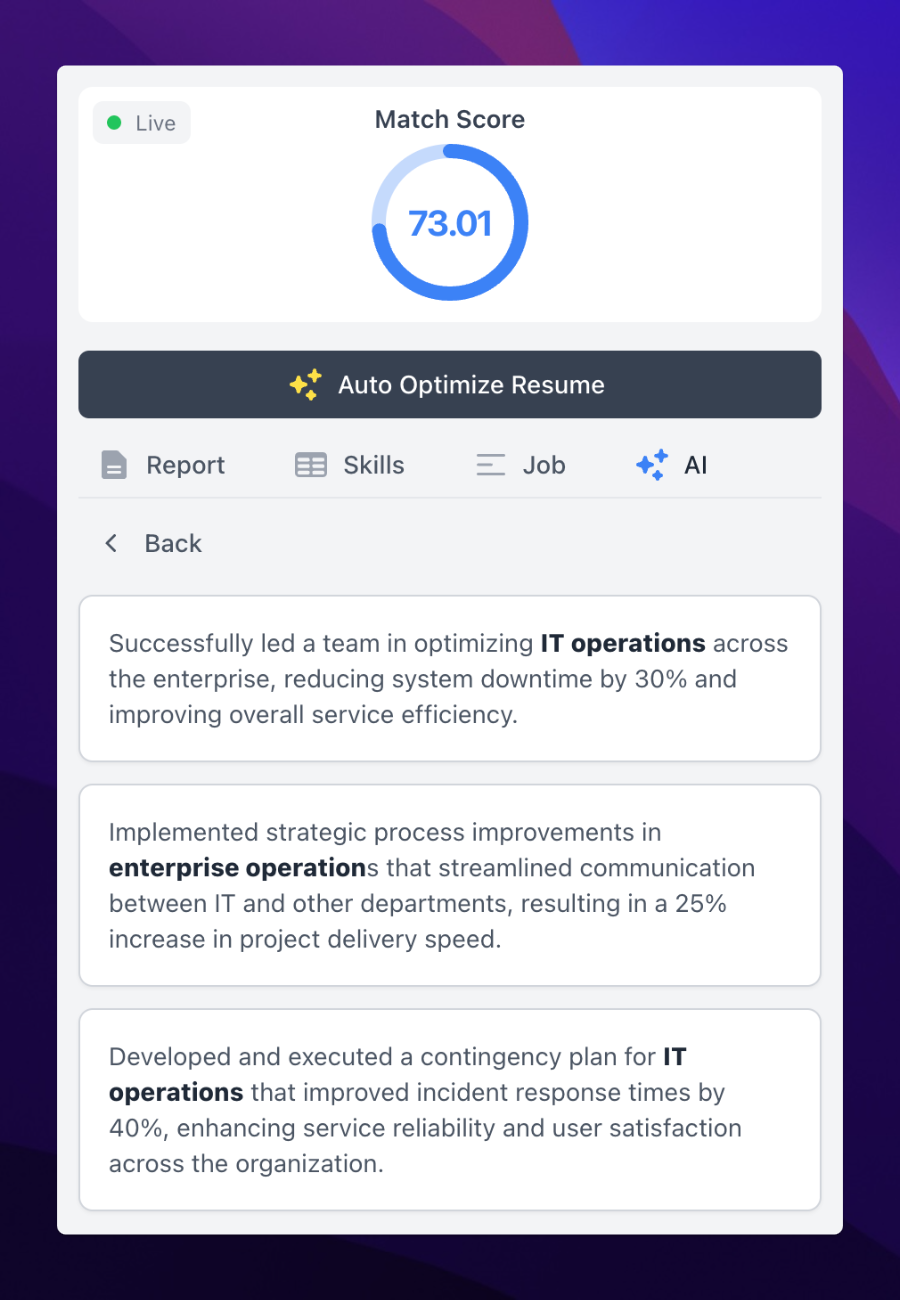
With these features, the Update Resume screen empowers you to refine your resume efficiently and increase your chances of landing the job.