Scans Overview
Job scans compare your resume with a job description to generate a match score and suggest improvements to optimize your resume for ATS and recruiters.
Scan History
This page provides an overview of all your previous scans. Here, you can easily view and manage past scans, and select the ellipsis menu to edit job details or delete a scan. This page serves as a central hub to track your scan history.
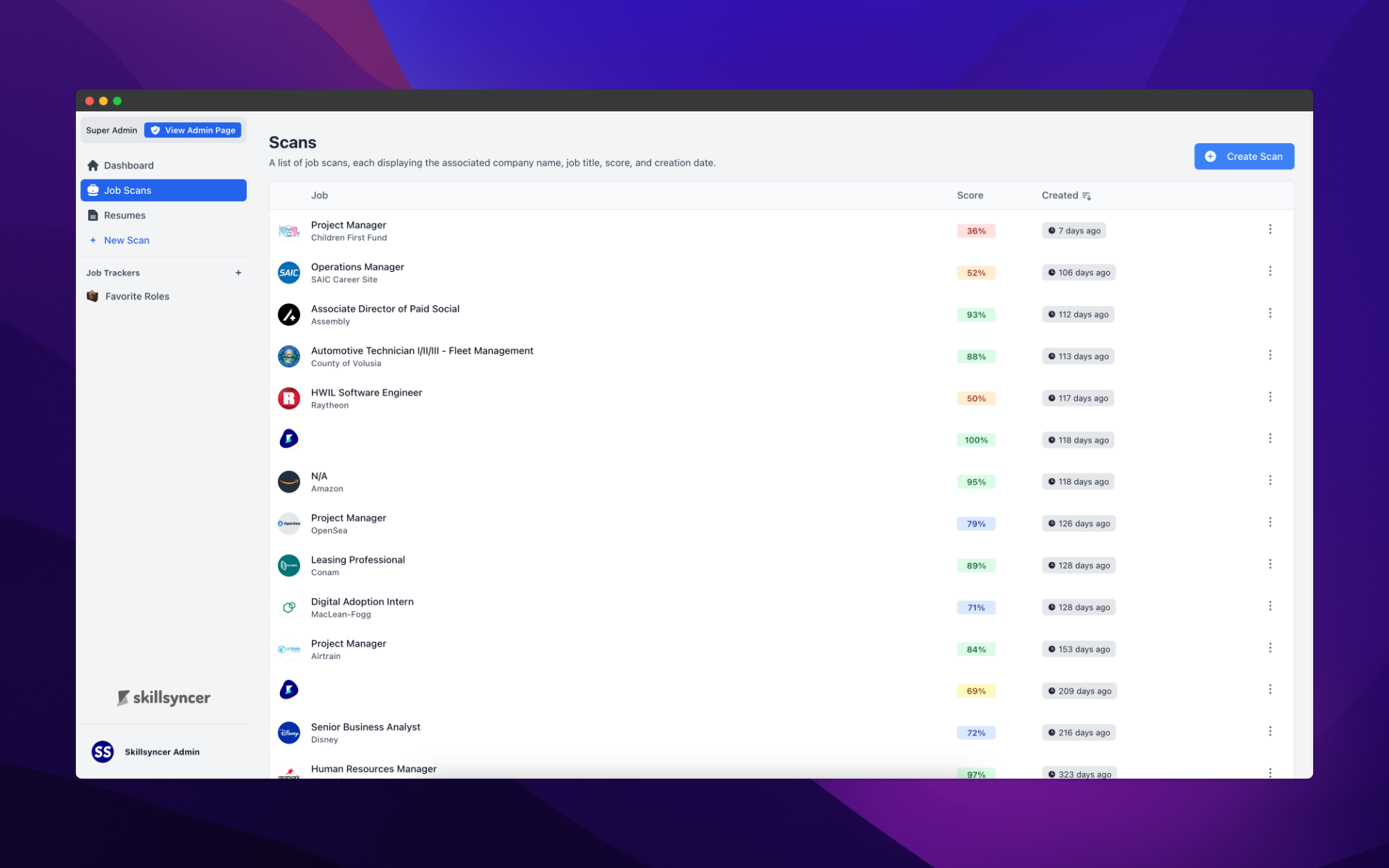
The free plan provides access to only the 10 most recent scans, while the premium plan offers unlimited access to your entire scan history.
Scan
The Individual Scan Page is organized for easy navigation and management of your scan results.
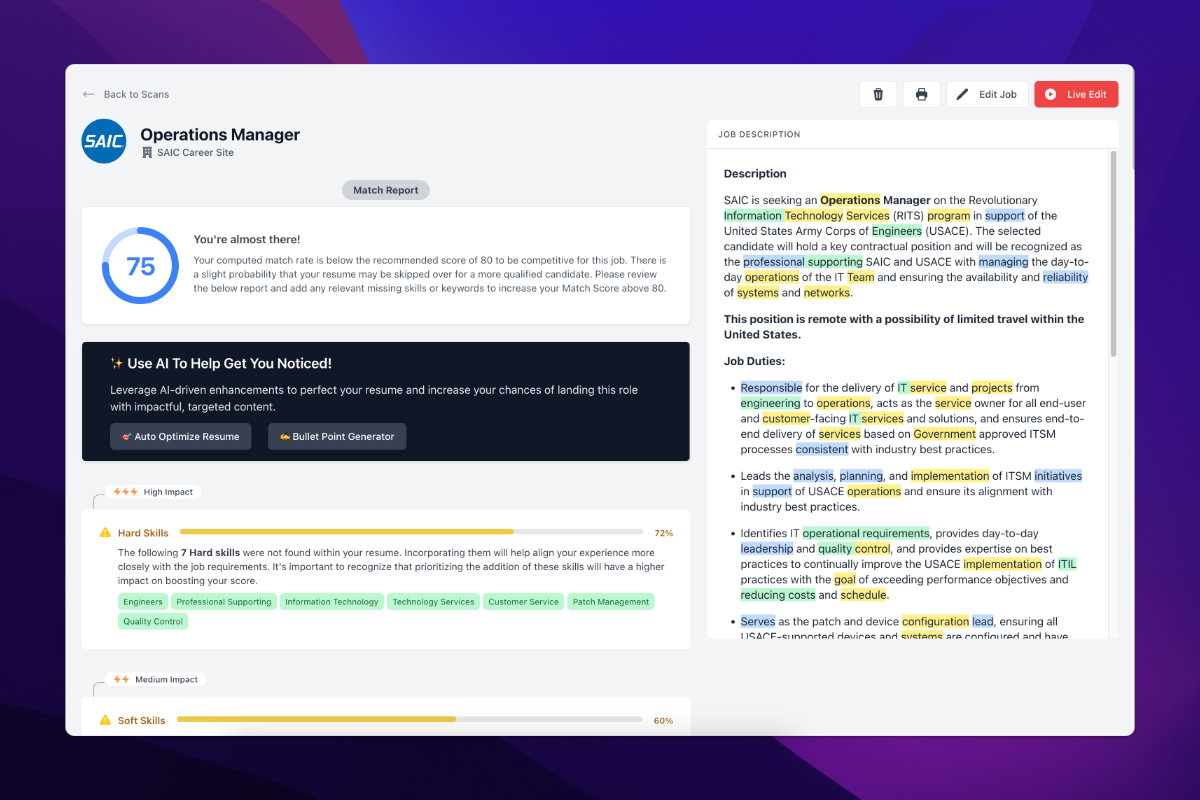
On the left side, you'll find:
Job Title and Company Name: Displayed at the top. Clicking either allows you to edit these details.
Match Score: Shows how well your resume aligns with the job description.
Match Report: Provides detailed feedback on how your resume matches the job.
ATS Checks: Displays relevant Applicant Tracking System checks for your resume.
Keyword List: Lists keywords from the job description that match or are missing in your resume.
On the right side, you'll see:
Print Function: Allows you to print the scan page for reference.
Delete Function: Lets you delete the scan from your history.
Edit Job: Provides the option to modify job details.
Update or Live Edit Button: Enables you to either update your resume manually or use the Live Edit feature for instant scoring adjustments.
Job Description: Displays the job description with highlighted skills. By clicking on any skill within the match report, the page will scroll to the corresponding job description section and darken the highlighted keyword, helping you see its context within the description.
Match Report
The Match Report provides valuable insights to help you improve your resume based on the job description. It includes:
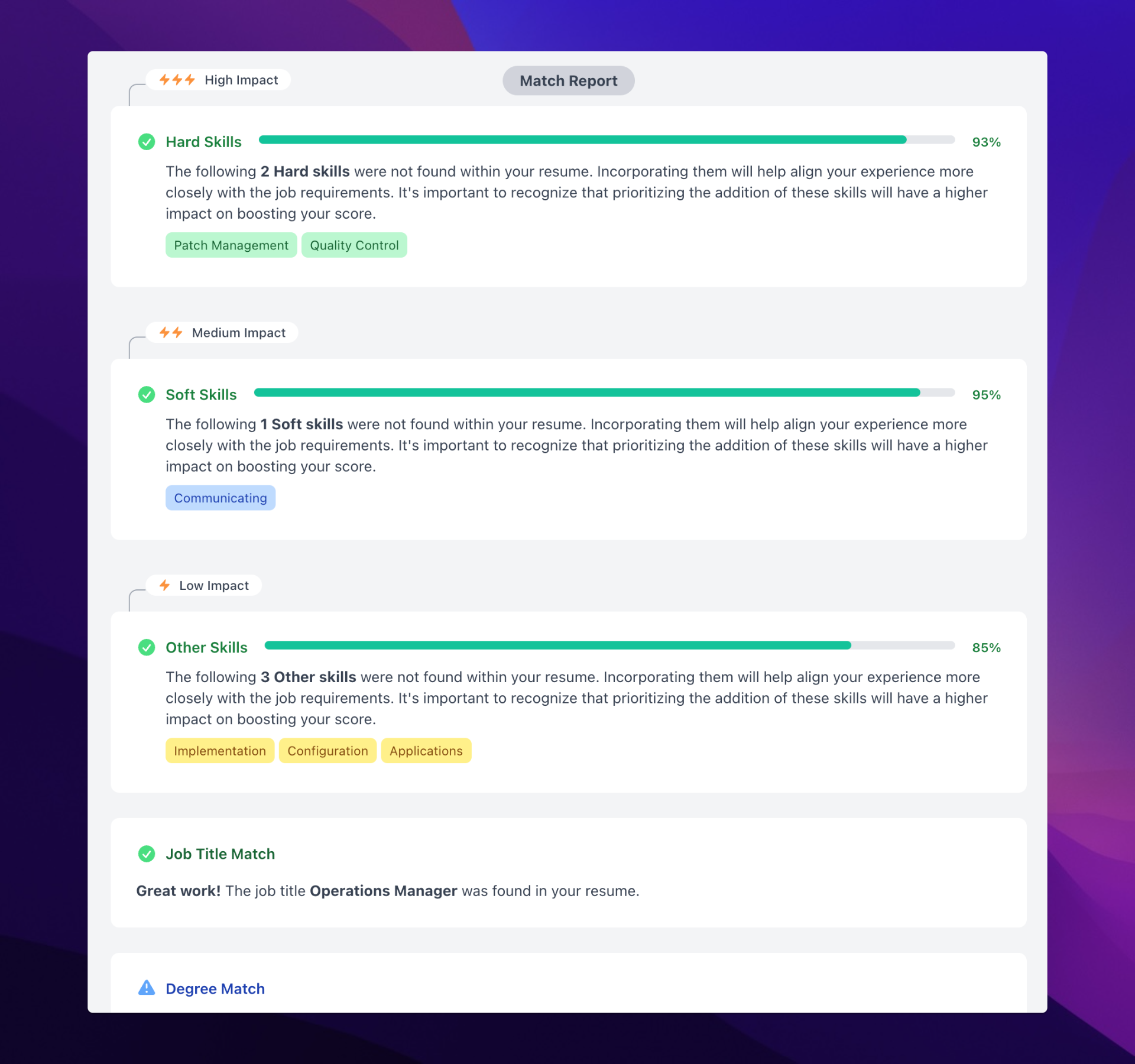
Hard Skills: These technical abilities (e.g., "Applicant Tracking Systems") have the highest impact on your score. Adding missing hard skills significantly boosts your match.
Soft Skills: These interpersonal skills (e.g., "Interviews") can improve your match, though they carry a lesser impact than hard skills.
Other Skills: These include additional relevant skills (e.g., "Customization") and generally have a lower impact on your score but still contribute to a better match.
Job Title Match: Including the job title from the job description in your resume is important. ATS prioritize job titles to assess the relevance of your resume to the role.
Degree and Experience Match:
Degree: If the job description specifies a degree requirement, ensure it’s reflected in your resume.
Experience: Align the required years of experience in the job description with what you’ve listed on your resume to improve your score.
Skill Grouping
We group similar spellings, plurals, and word stems to provide a comprehensive view of your skill set. The word displayed is the first one found in the job description.
For example, Communicate will encompass all related forms, such as:
"Communication": ["Communicating",, "Communication", "Communications", "Communicator", "Communicators", "Communicate", "Communicated", "Communicative"].
Resume Checks
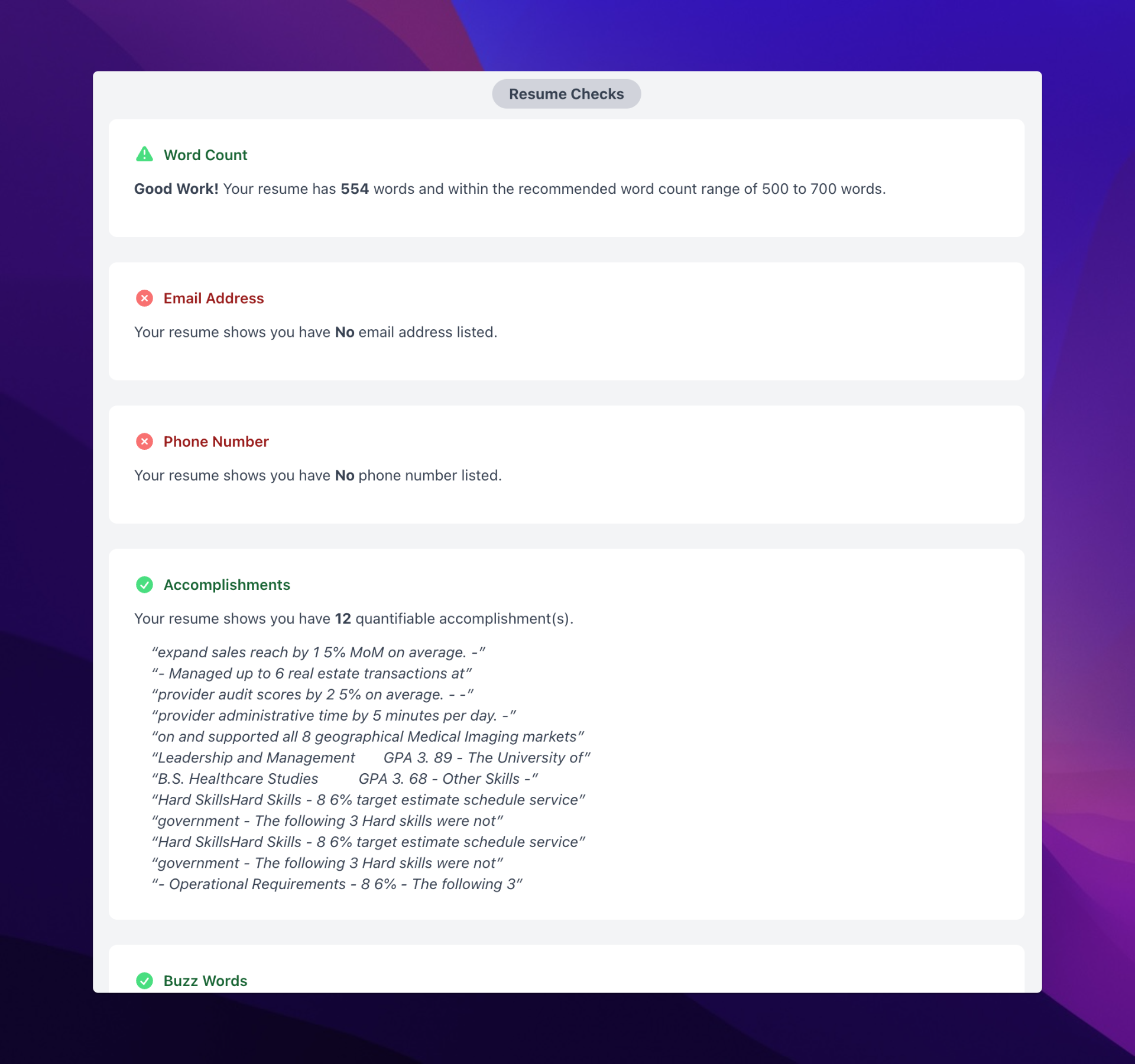
Word Count: Keep your resume concise (500–700 words) unless you have extensive experience or are applying for a specific position.
Missing Info: Ensure your resume includes essential contact details like email and phone number.
Accomplishments: Highlight quantifiable achievements to demonstrate your impact in previous roles.
Update Resume & Live Edit Features
Although these are essentially the same, Live Edit is a feature of update scan that automatically rescans and updates the resume score in real-time, without needing to save and wait.
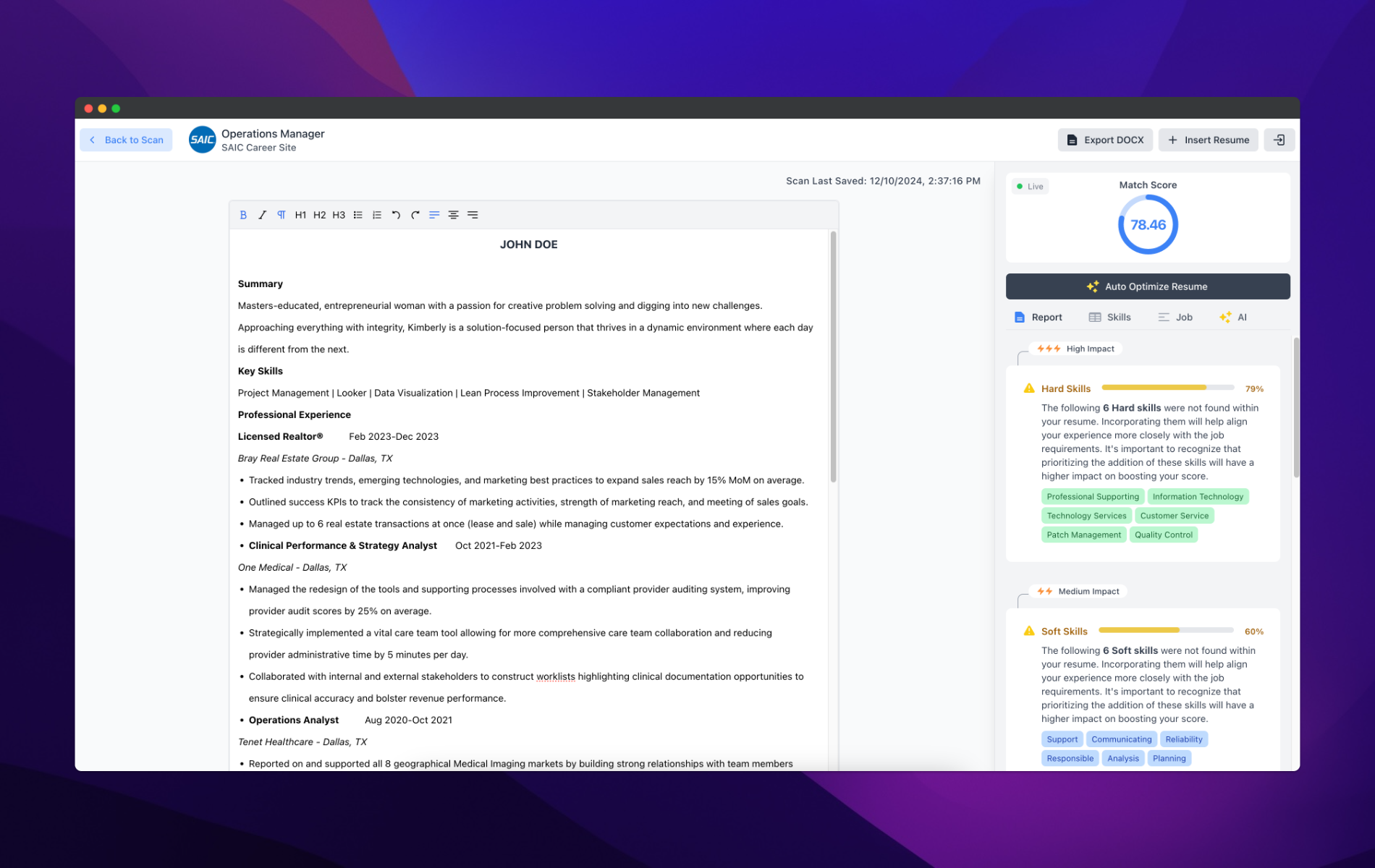
Update Resume: Easily update your resume based on the feedback in the match report, focusing on adding missing hard and soft skills.
Live Edit: Make changes in real-time and instantly see how those changes affect your match score, helping you optimize your resume as you go.
AI Tools to Optimize Your Resume
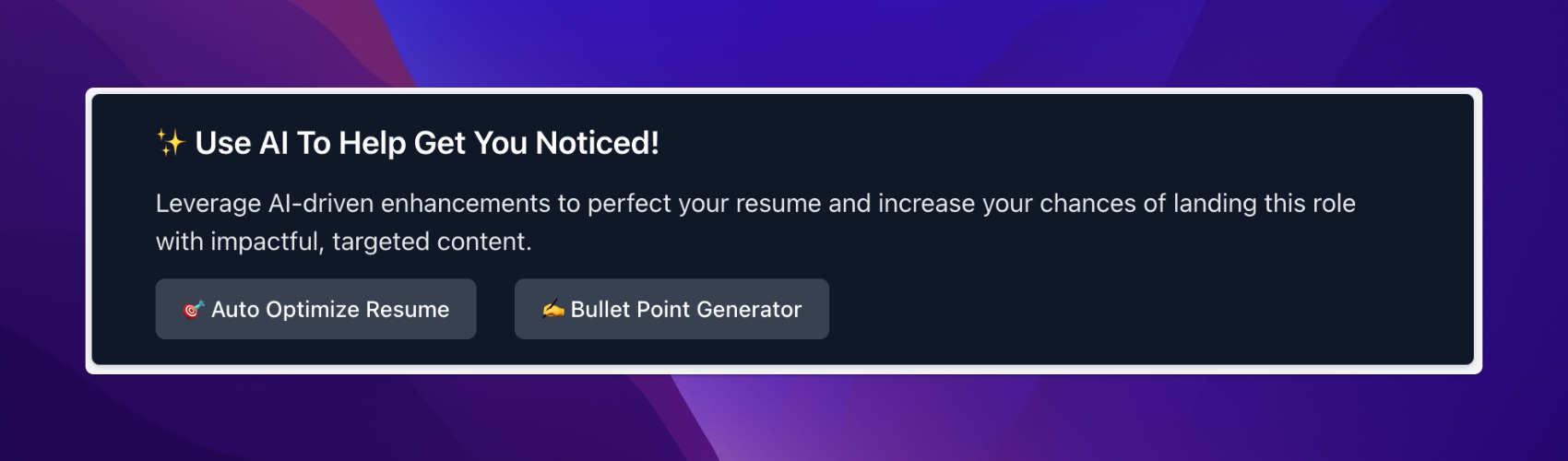
AI Tools: Use tools like Auto Optimize Resume and Bullet Point Generator to enhance your resume and align it with the job description.