Main Features
SkillSyncer offers a powerful suite of features to help users streamline their job search and resume optimization efforts. Below is an overview of the platform’s core features and how they work together to increase your chances of landing your dream job.
Scans: Compare Job to Resume
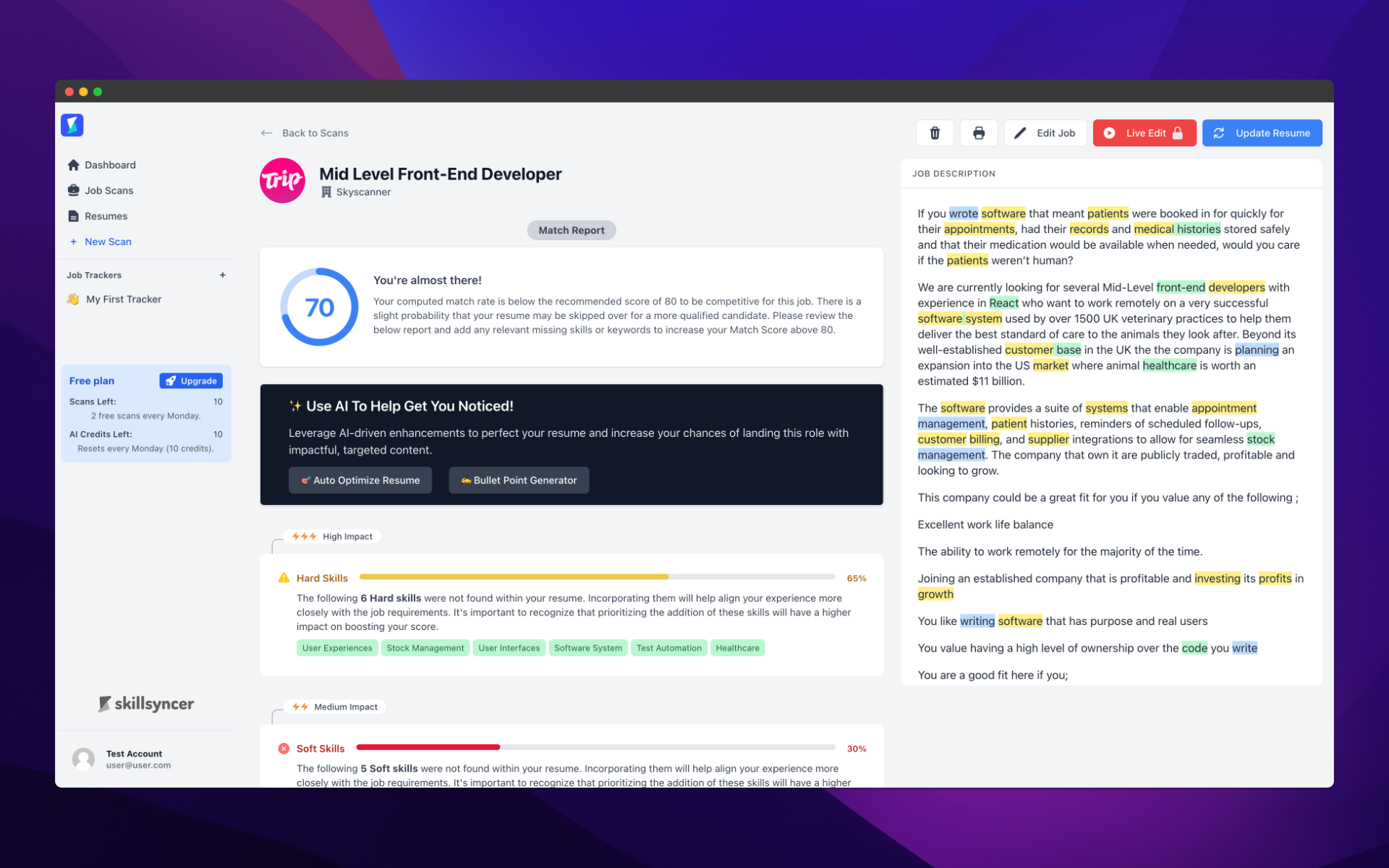
The Scans feature is at the heart of SkillSyncer’s resume optimization process. It allows users to upload both their resume and a job description to see how well the resume matches the job requirements.
How It Works:
Upload your resume and the job description you’re interested in.
SkillSyncer scans both documents for key terms, job-specific skills, and formatting that are commonly used by Applicant Tracking Systems (ATS).
Detailed analysis of how your resume aligns with the job description.
Recommendations and tips are provided to improve keyword usage, structure, and relevance, helping you tailor your resume to pass ATS screenings.
Why It’s Important:
Ensures your resume is optimized for specific job postings.
Increases your chances of getting through ATS filters and landing interviews.
Resumes: Create Base Resumes to Use with Scans
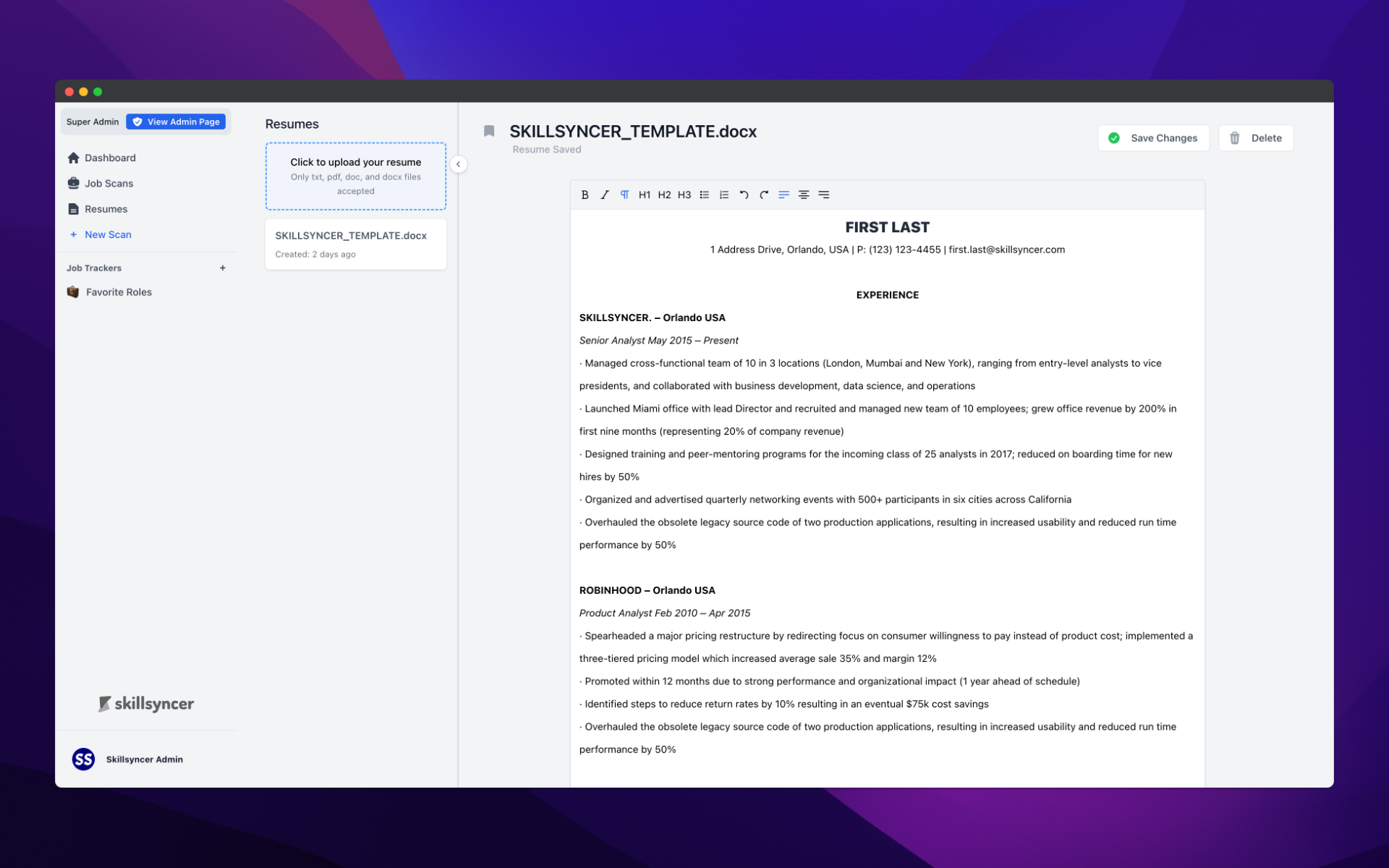
SkillSyncer allows you to create and store multiple base resumes that you can use for job applications. These base resumes serve as templates that can be quickly adapted and optimized for different job roles using the Scans feature.
How It Works:
Build and store a basic version of your resume on SkillSyncer.
Customize and adjust the base resume for specific industries or job types.
Once you’ve created your base resumes, you can use them to quickly apply for jobs and scan them for ATS compatibility.
Why It’s Important:
Saves time by allowing you to create a foundational resume that can be used for many applications.
Facilitates easy customization, so your resume can be quickly tailored for each job you apply to.
Job Tracker: Track Jobs
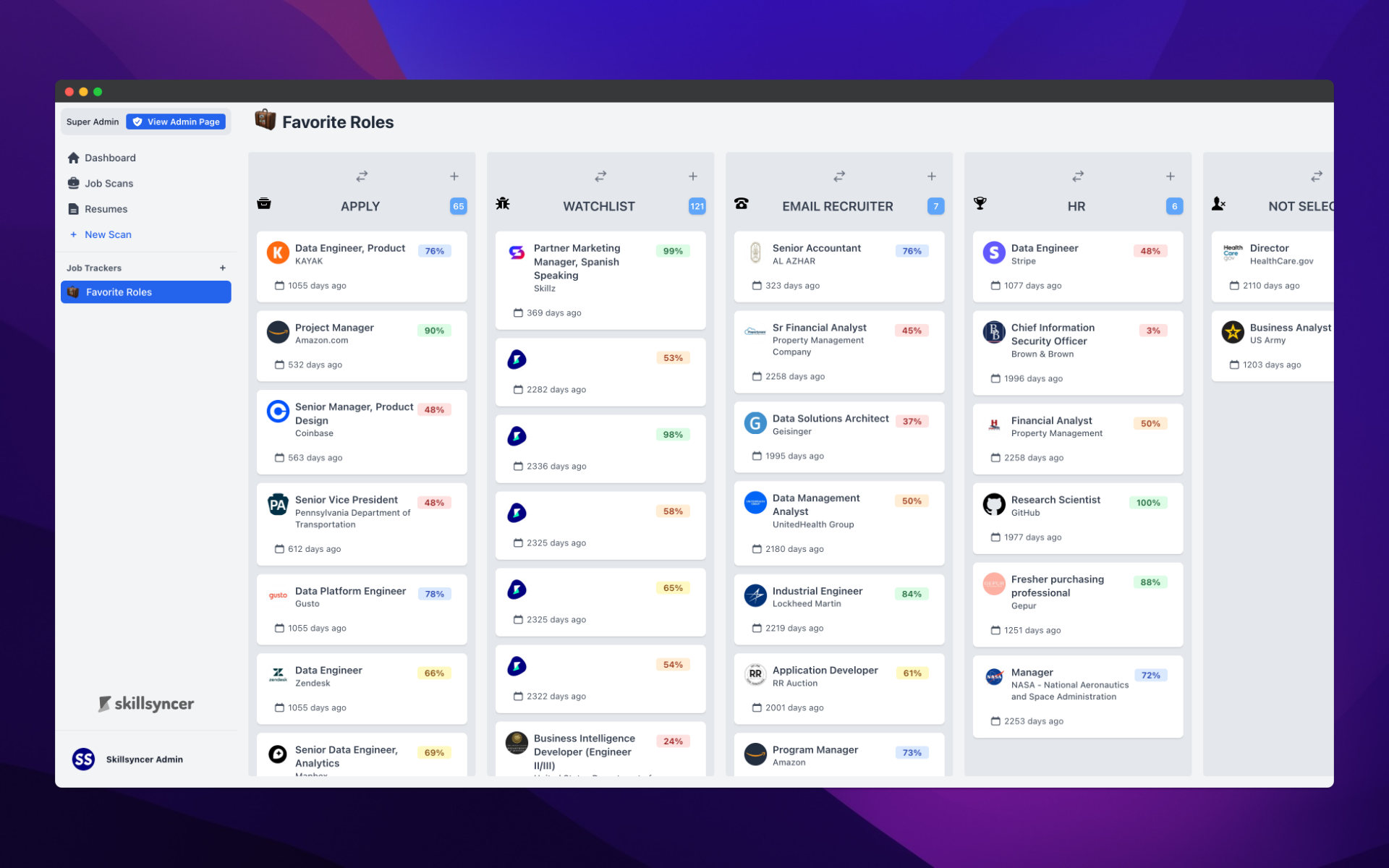
The Job Tracker feature helps users stay organized and on top of their job applications. It allows you to manage and track the status of every job you’ve applied to.
How It Works:
When you create a scan, the job is automatically added to the selected board and column.
Keep track of application status (e.g., applied, interview scheduled, awaiting response, offer made).
Set dates and notes to follow up with employers and recruiters.
Why It’s Important:
Provides an organized way to manage job applications and deadlines.
Increases efficiency in your job search by consolidating all job-related information in one place.